

Quick Start Guide
Build CTV-ready video ads right inside Disney Campaign Manager.
Start with your idea and brand assets, then create, edit, and submit your ad for campaign launch — all in one place.
Lights, Camera, Create: How to Get Started
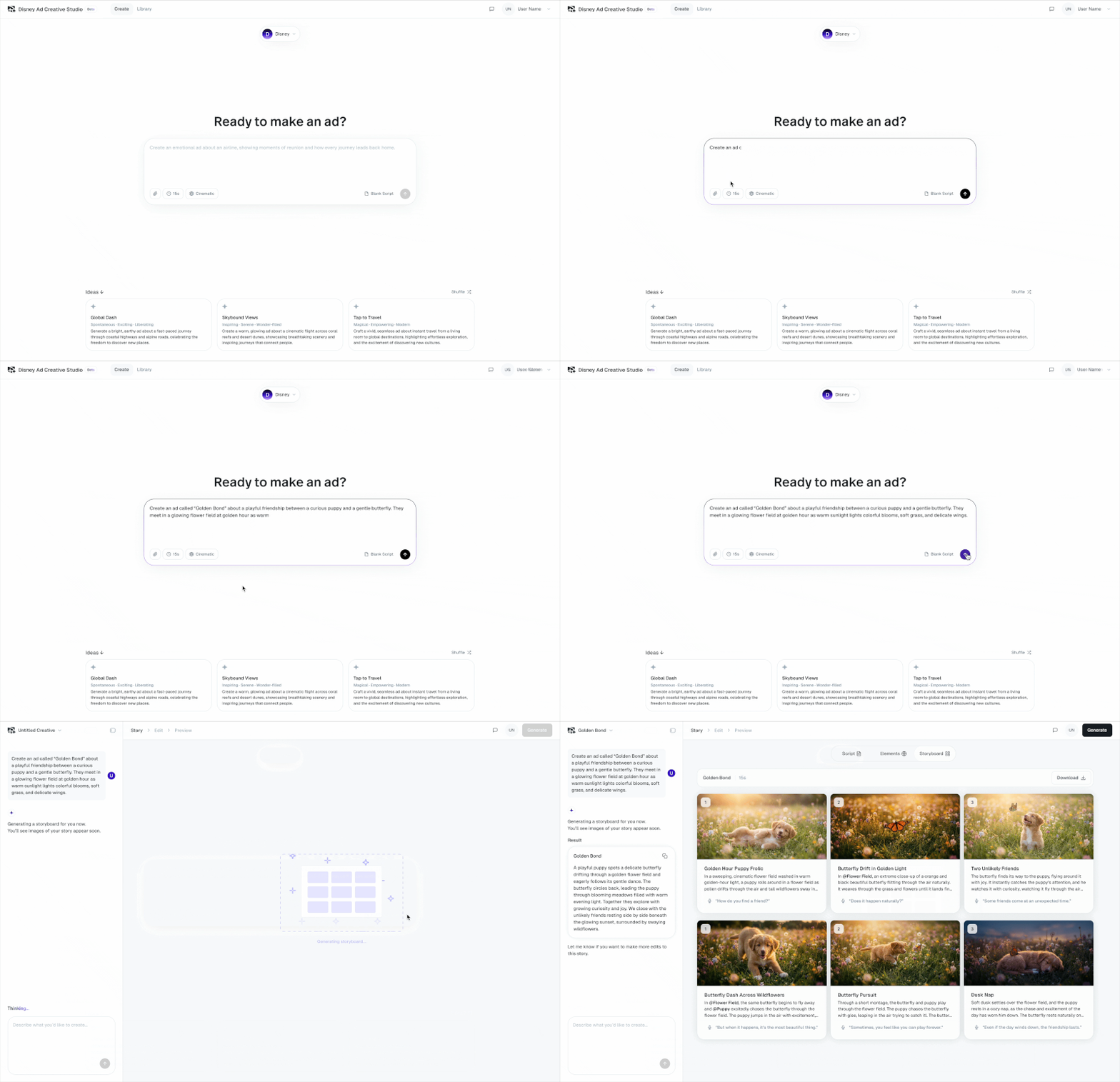
Start with a simple idea and a few brand basics.
The tool will help guide you from first concept to a finished 15-second ad.
- Pick your brand and visual style (video aesthetic) from the options provided
- Choose a suggested idea, write your own prompt, or start with a blank storyboard
- Build your scenes with the right people, places, products, and story
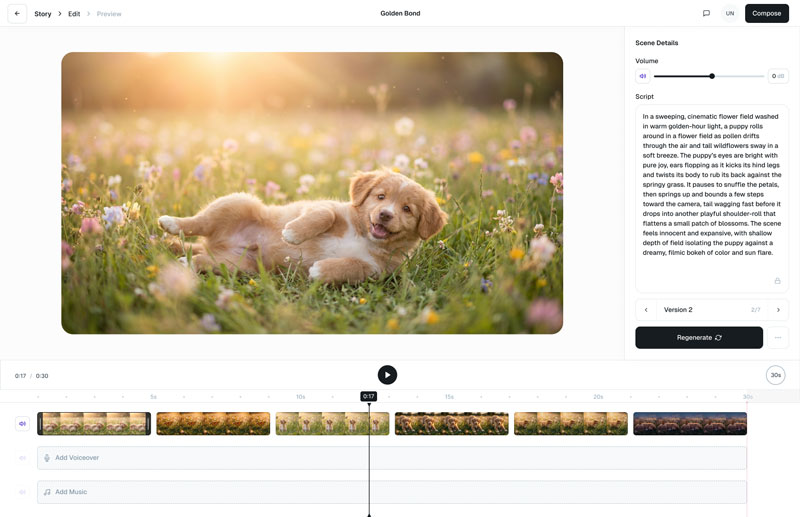
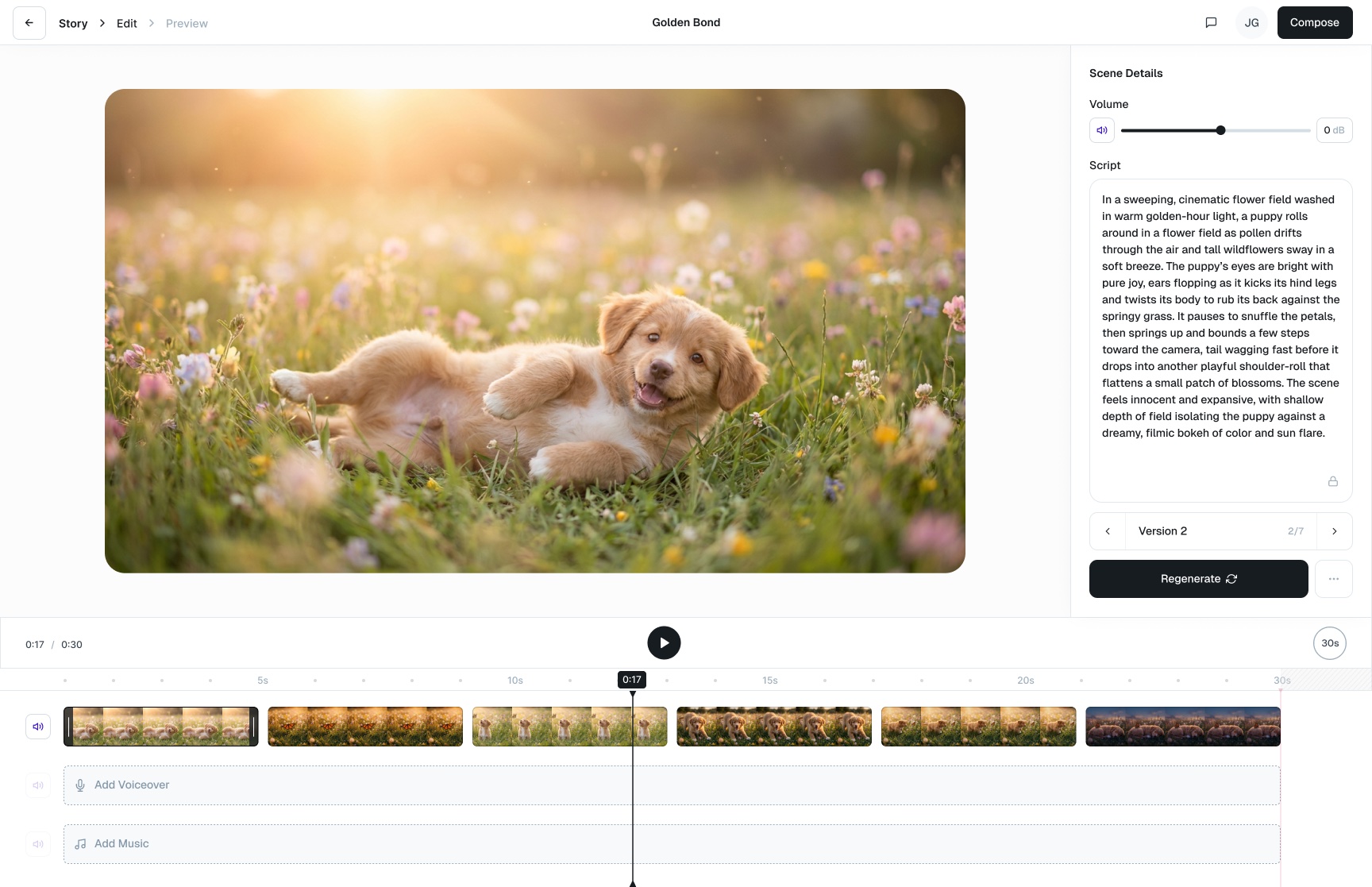
- Review and adjust timing, voiceover, music, and brand elements
- Generate your final video and submit it to the Ad Gallery for campaign use
Brief Encounter: Set Your Ad Up for Success
A clear brief will help you create a stronger ad. Keep it simple, specific, and easy to picture.
Brief Checklist
Who is the ad for?
What tone or feeling do you want?
What product or service are you featuring?
Where should the story happen?
What should the viewer see?
Starter prompt: Create a [tone] 15-second ad for [Brand], aimed at [Audience]. Show [Product/Service] in [Setting], with [Key Visual Moments].
Prompt Tips
Write one clear moment per scene
Describe what viewers should see
Keep characters, places, and products consistent
Upload product or brand images when helpful
Avoid extra text, logos, URLs, or CTAs unless needed, and comply with ad guidelines
Easy formula: Audience + tone + setting + product/service + action + desired feeling.
Final Cut Check: Before You Click Generate
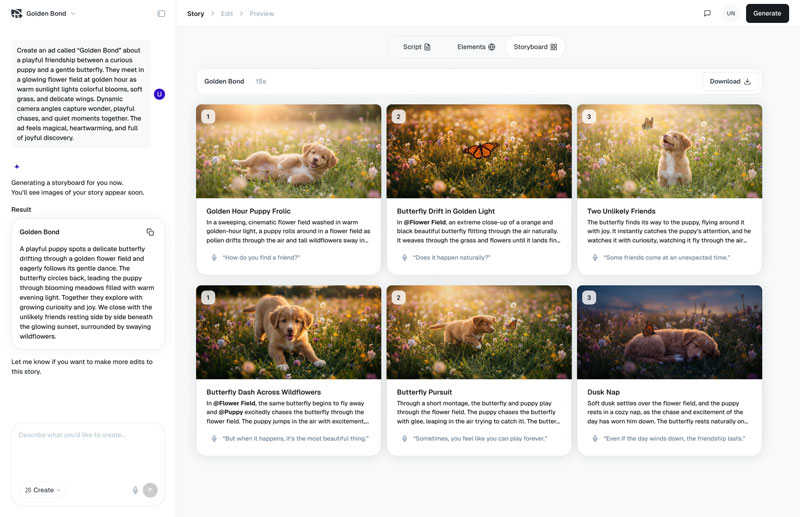
Before you generate your video, take one last look at the storyboard.
It’s the easiest place to fix anything before your ad comes to life.
Does each scene tell the right part of the story?
Do the people, places, and products look accurate?
Does the style and pacing feel right for your brand?
Is there any extra text or visual clutter to remove?
Ready to roll?
Log in to Disney Ad Creative Studio using your Disney Campaign Manager account credentials and start building your first video ad!
Log InNeed a Hand? Help Is Here
If you get stuck or want a little extra guidance, use any of these support options:
- User Guide
- FAQ
- Get Help from within Disney Ad Creative Studio
If you have any questions, please use the ‘Get Help’ form within the tool.
